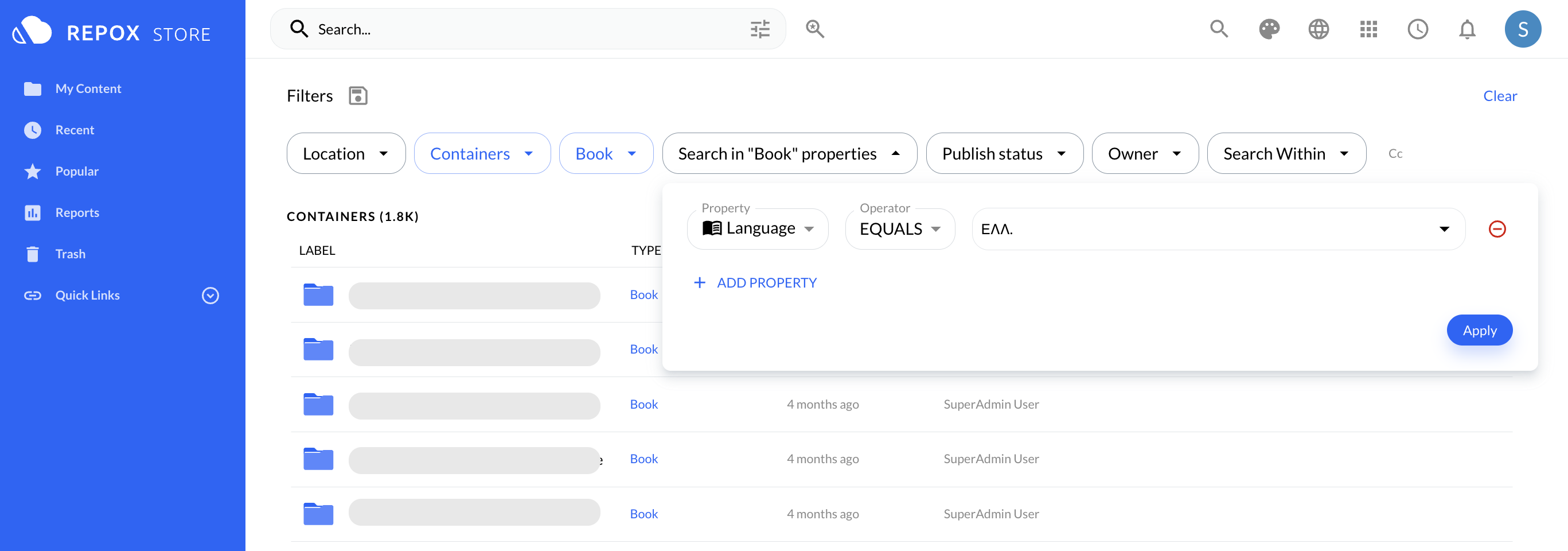
Search Containers/Datastreams in Repox Store
Search Containers/Datastreams in Specific Container
You can search for containers from the Search bar in the Repox Store toolbar, writing a search term.

While typing in the search bar, recommended containers/datastreams are shown in a list.
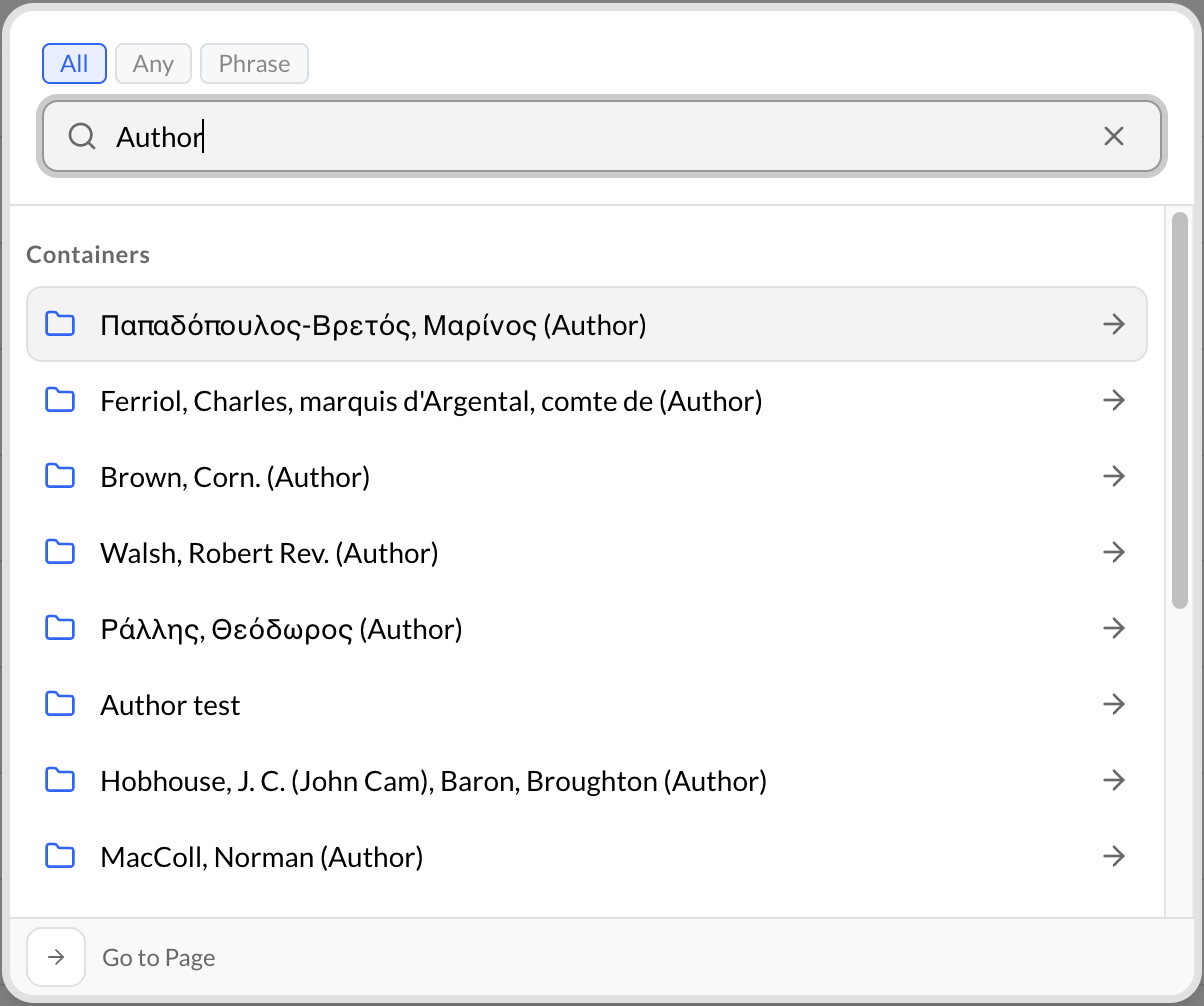
You can choose a container/datastream from the recommended list or see the full results list.
Search Containers/Datastreams within a Specific Container
To search within a specific container in Repox Store:
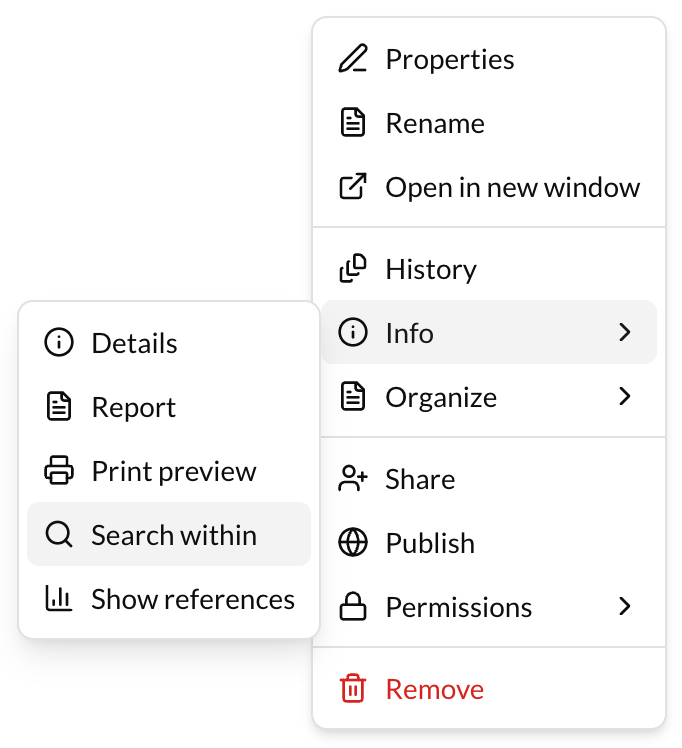
- Go to the actions button (3 dots) at the right of the container.
- Click on "Search within 'Name of the container'".
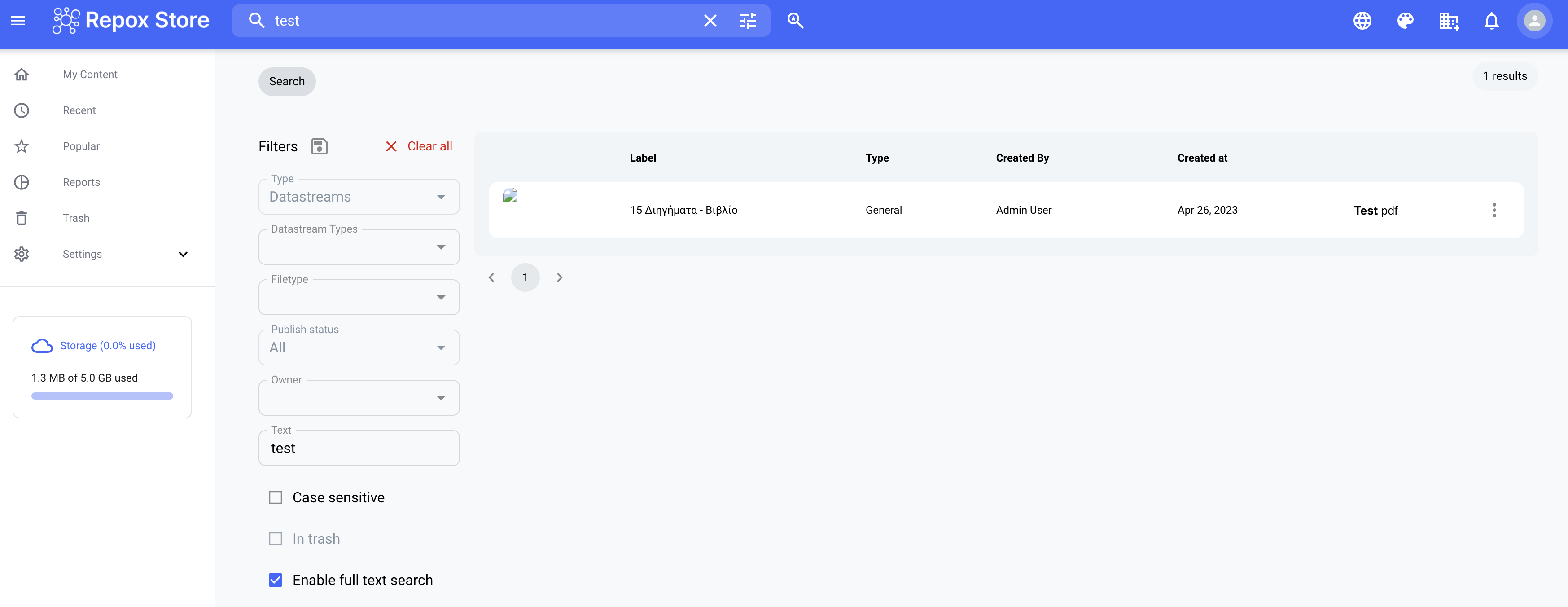
Full Text Search
To search in text in datastreams:
- Go to the Search at Repox Store toolbar.
- Enable the "File Content".
- Fill in the "Text" field.
- Click on Search button.

All the datastreams that include the searching text are shown in a list.
Search in Properties
To search in properties in Repox Store:
- Go to the Search at Repox Store toolbar.
- Enable the "Check search in properties".
- Fill in the "Text" field.
- Click on Search button.
All the containers/datastreams that include the searching property are shown in a list.