A Use Case
A library is looking to create a catalog of its vast collection of books. Each book possesses a range of distinctive characteristics (properties), such as:
- Title
- Author
- Publishing date
- Category
- Language
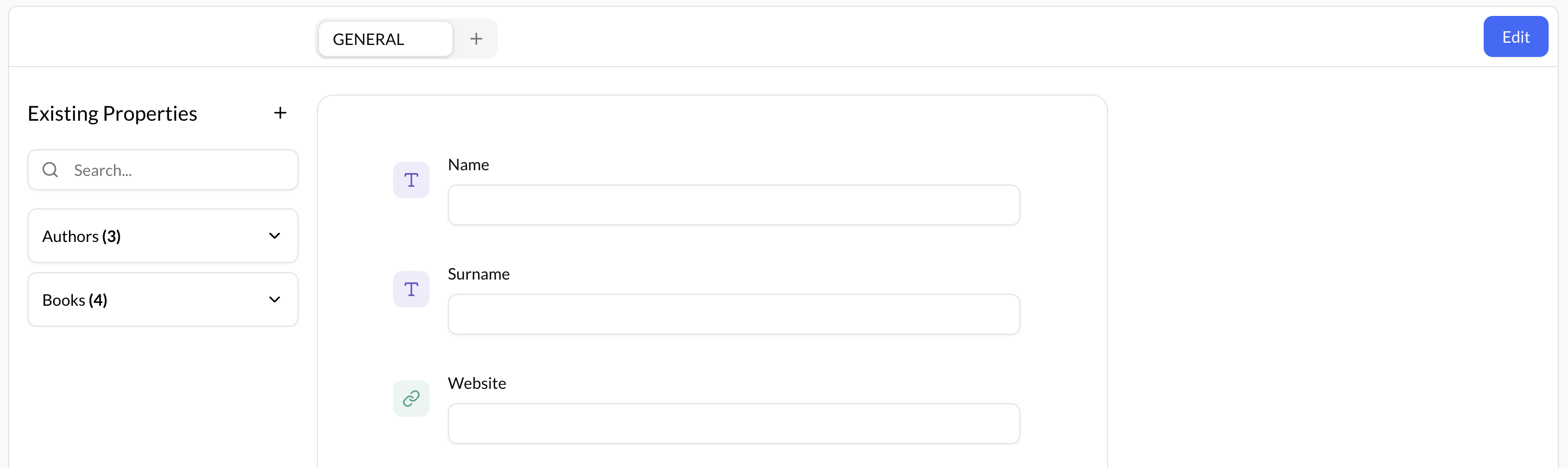
However, some of these properties can be more complex, such as Author, who also possesses distinct characteristics (properties) of their own.
- Name
- Surname
- Website
To create an accurate catalog of their books, the library must gather and record all relevant information about each book and its associated properties, including those related to the Author.
Step 1 - Define Properties
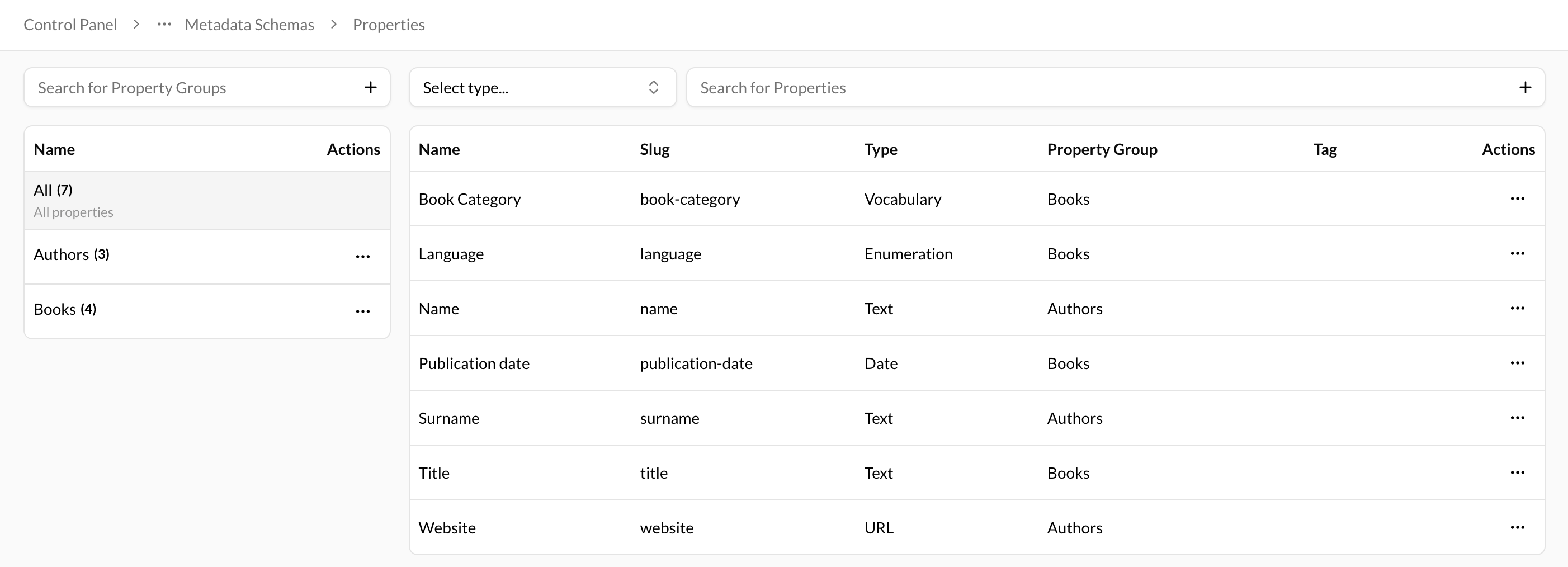
Before cataloging the books, the library must first define the properties of the book and its author. This involves deciding on the appropriate data types for each property and grouping them accordingly. Once the property groups have been created, the library can enter the specific book and author properties and fill in the corresponding fields with accurate information. By carefully defining and recording each property, the library can create a comprehensive and organized catalog of its entire book collection.
Property types
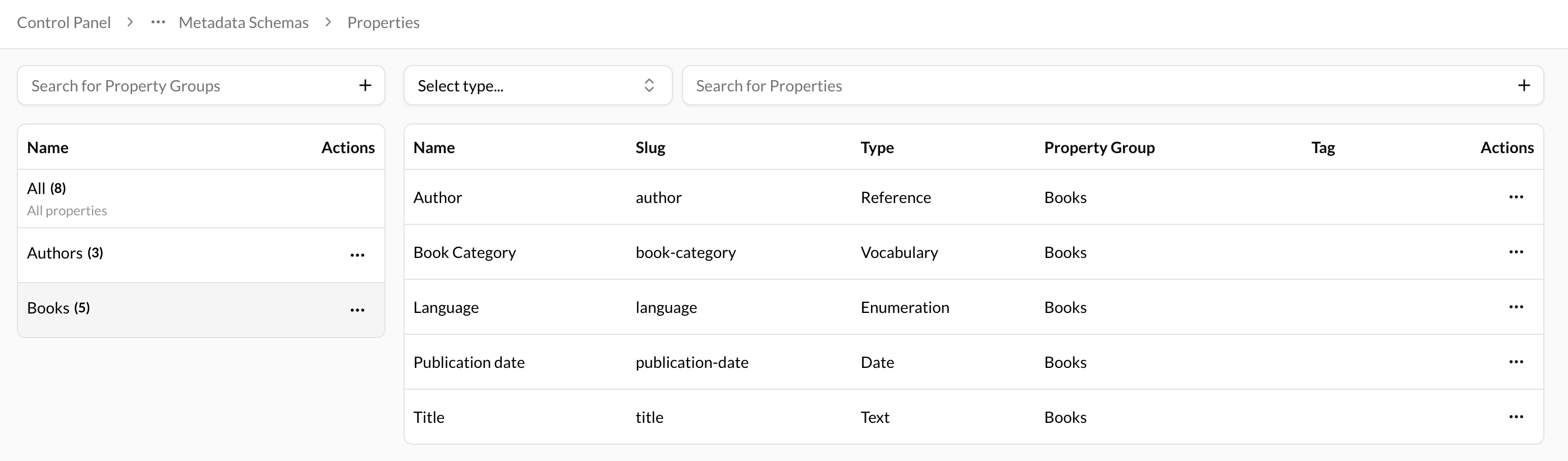
- Title -> Text
- Author -> Reference
- Publishing date -> Date
- Category -> Vocabulary
- Language -> Select
- Name -> Text
- Surname -> Text
- Website -> Url
The Vocabulary type and the Select type exhibit similarities in their function. The Vocabulary type is commonly utilized in situations with a potential for expanding property values. In contrast, the Select type is typically reserved for cases where the number of values is predetermined and relatively small.
During this phase, all book and author properties will be created, with the exception of the Reference and Vocabulary properties which will be addressed at a later stage.
Step 2 - Create Vocabulary
Once all book and author properties have been created, the library should create a Vocabulary specifically for the categories of books in their collection. This involves defining the key terms related to the topics of the books and creating a corresponding property for them.
By developing a clear and comprehensive Vocabulary for their book categories, the library can create a more efficient and effective cataloging system, making it easier for patrons to find the books they're looking for.
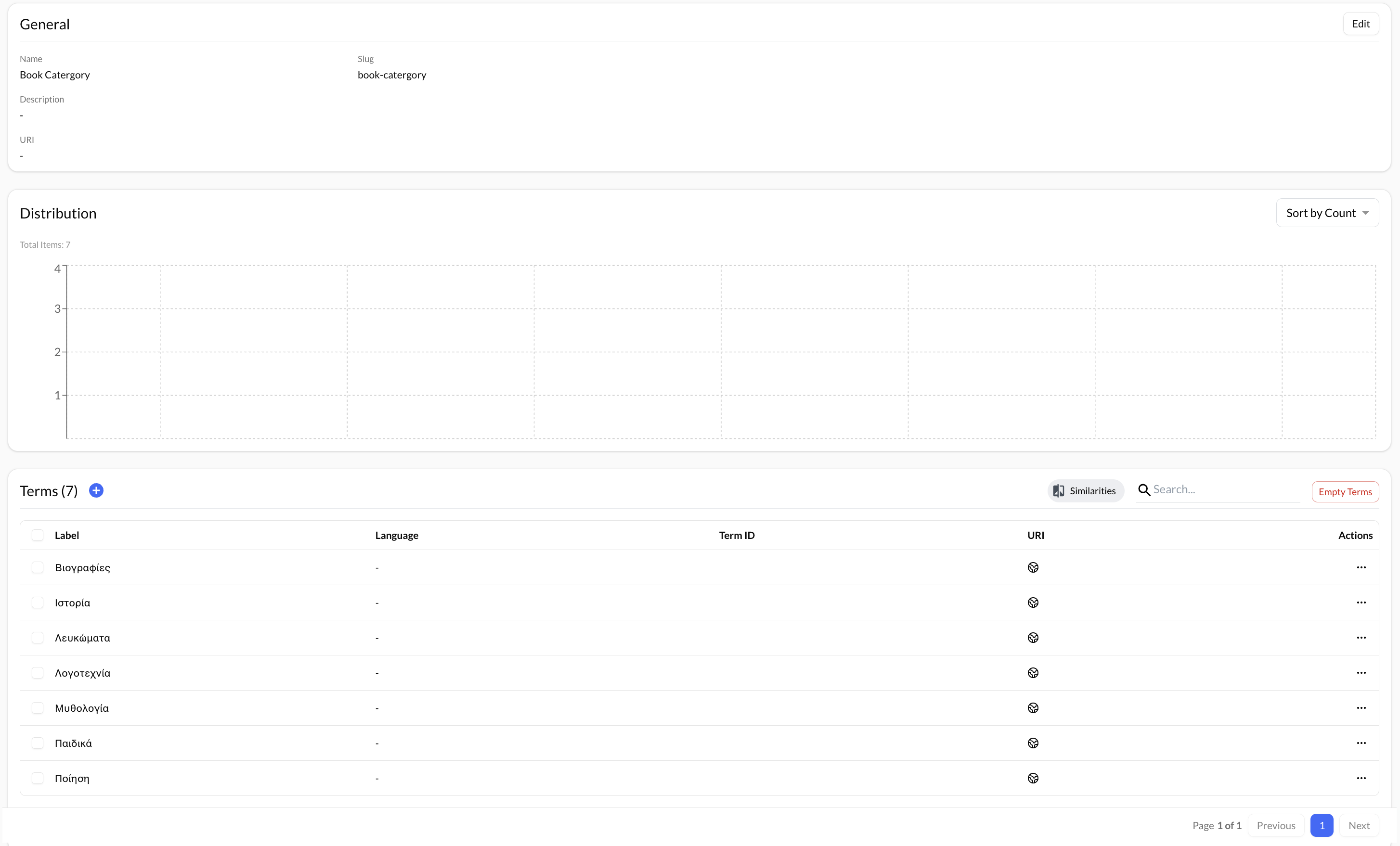
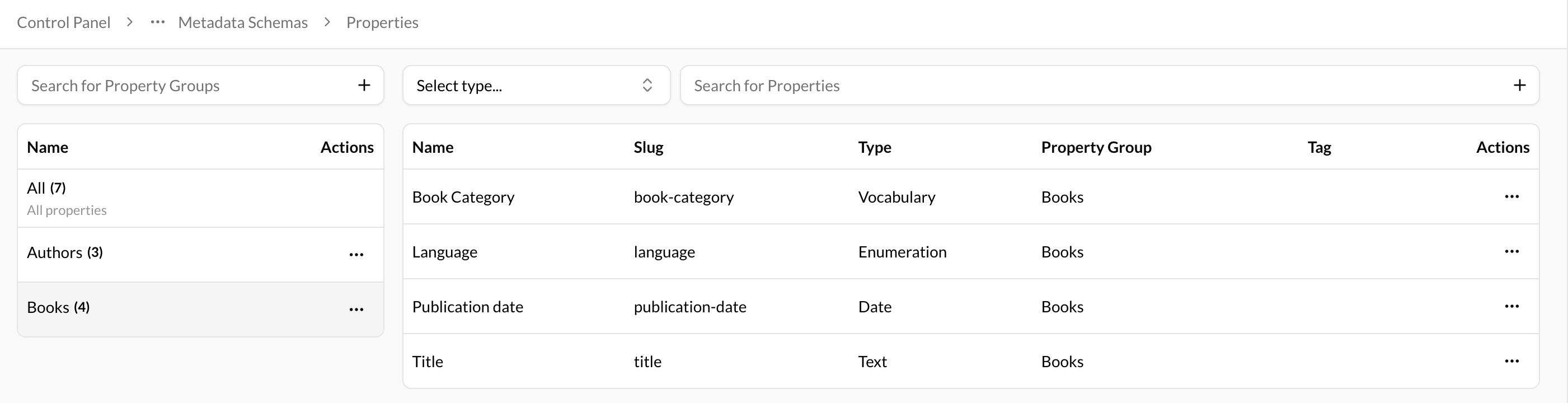
Now that the library has created a vocabulary for its book categories, they can create a corresponding property to capture this information. This property should be created with the property type set to "Vocabulary" and should be linked to the newly created "Book Category" vocabulary. By creating this linked property, the library can accurately record and categorize each book in its collection according to its designated category.
Step 3 - Create a Schema
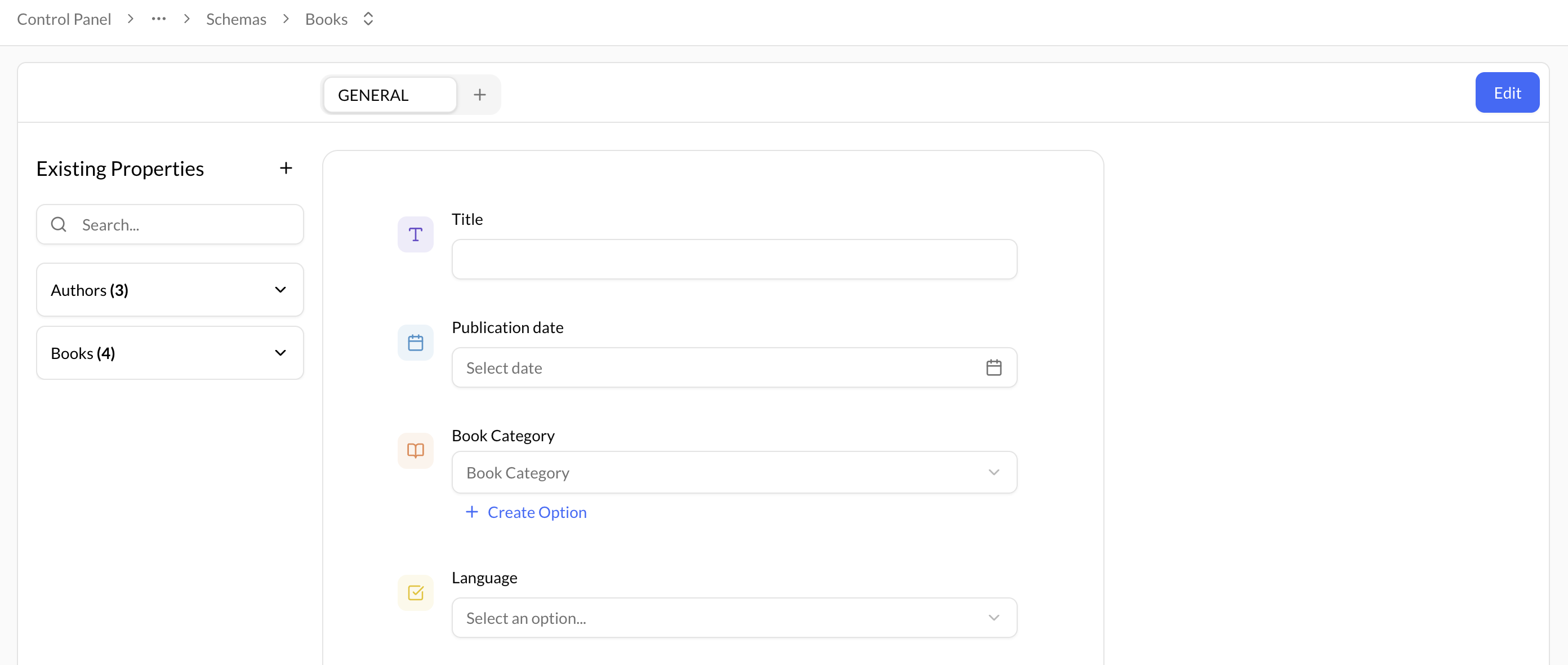
Once all book and author properties have been defined and created, the library is ready to move on to step 3, which involves creating schemas for books and authors. These schemas serve as metadata forms that allow the library to catalog each book and author in their collection, using the properties and vocabulary created in previous steps.
Step 4 - Create Container/Datastream Types
With the Schemas for books and authors now in place, the library can move on to defining the container and datastream types for their content model. These types will help organize and manage the library's digital content and will be linked to the appropriate Schemas to ensure that each item can be correctly cataloging it. By carefully defining and linking container and datastream types to the relevant schemas, the library can create a well-structured and easily searchable catalog of its entire collection.
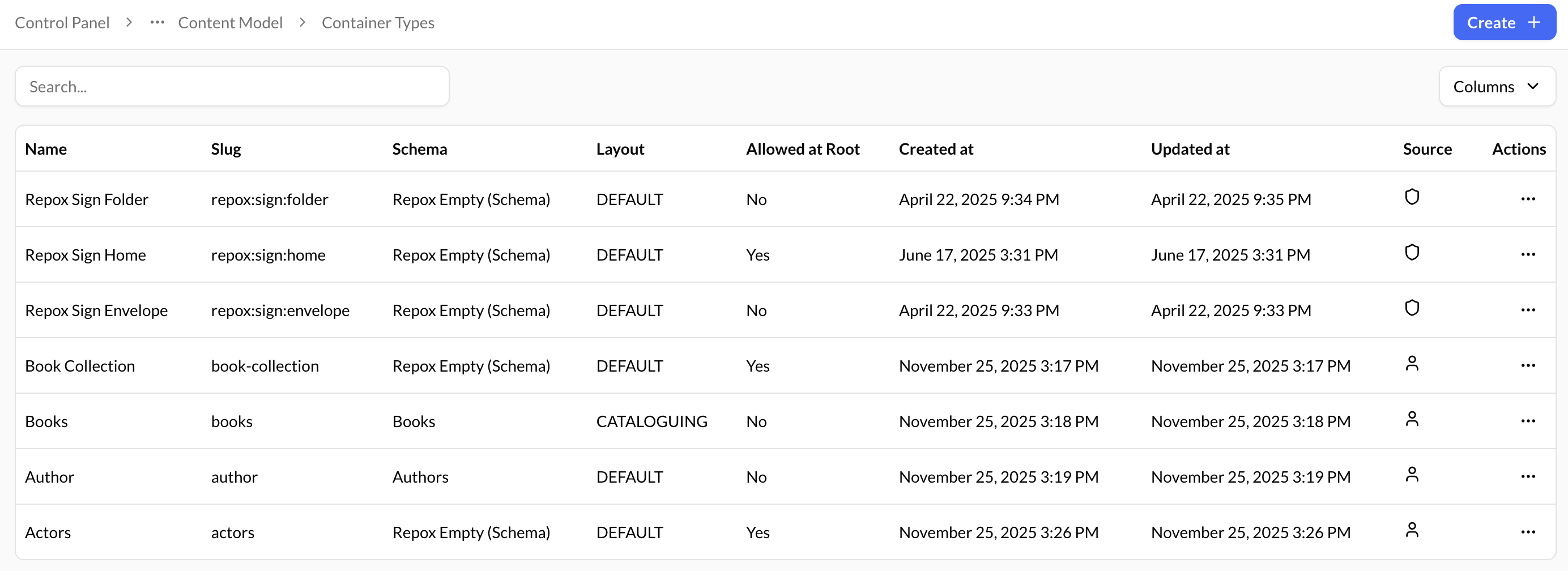

When configuring the container types for their content model, the library has made several assumptions to ensure that items are stored in appropriate groupings.
For example, in the "Book Collection" container type, only "Book" container types are allowed to be stored. Similarly, in the "Actors" container type, only "Author" container types are permitted. However, both the "Books" and "Authors" container types are designed to allow for the storage of "General" datastream types, as these categories are less specific and can encompass a wider variety of items.
By carefully configuring the container types, the library can ensure its collection is well-organized and easy to navigate, with items grouped together logically and intuitively.
Step 5 - Create Reference property type
With the container and datastream types now configured, the library can move on to creating the "Author" books' property. This property will be linked to the "Authors" container type, allowing library staff to easily access and manage all relevant author information for each book in their collection. By carefully linking the "Author" property type to the appropriate container type, the library can ensure that all author information is consistently and accurately recorded, making it easier to search and retrieve relevant materials. Overall, this step helps to streamline the cataloging process, providing a more efficient and effective way to manage the library's collection.
Step 5 - Organize the content
With the content model fully configured, the library is now ready to begin organizing and uploading all of their content. By leveraging the well-designed schemas, container types, and datastream types created in previous steps, library staff can easily manage and catalog all relevant information for each book and author in their collection. This comprehensive approach ensures that all materials are properly categorized and recorded, making it easier for patrons to locate and access the items they need. Overall, the content model provides a powerful framework for organizing and managing the library's resources.



When cataloging a new book or editing the metadata for an existing one, library staff can easily access the relevant metadata form by opening the book in question. This form displays all of the relevant information about the book, including its title, author, category, number of pages, and other key details. By filling in or editing the appropriate fields on this form, library staff can ensure that all relevant information is properly recorded and organized, making it easier for patrons to locate and access the item in question.
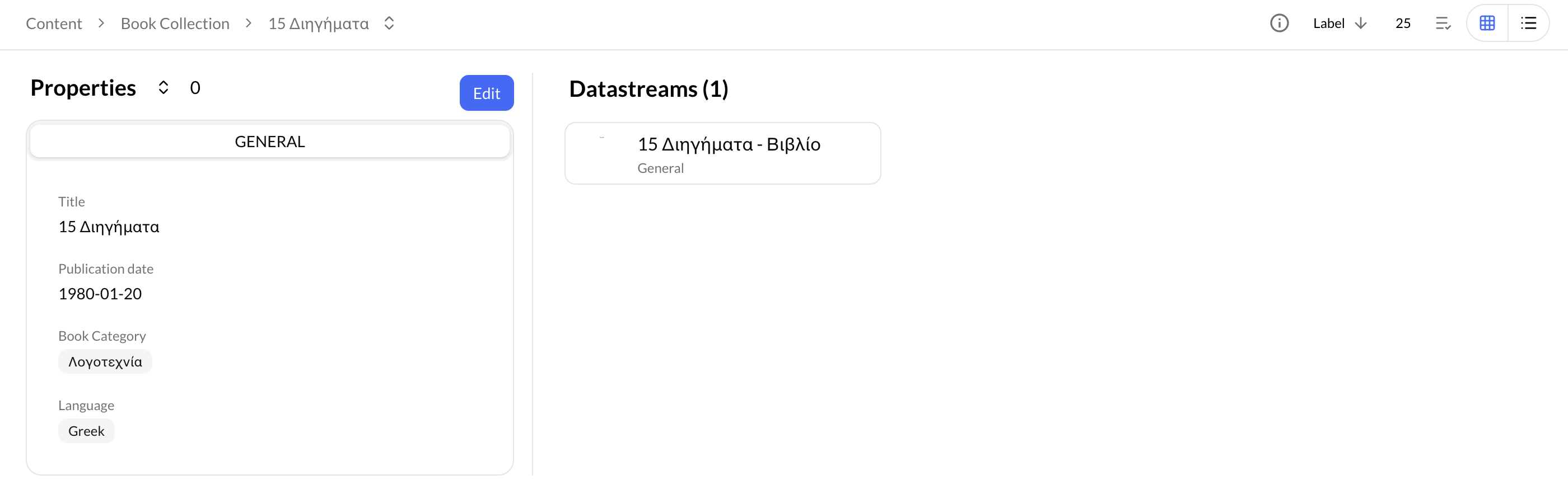
One key feature of the metadata form is that it allows library staff to easily access additional information about the book's author. This is accomplished through the use of a reference property type, which creates a clickable link to the corresponding container that contains the author's information. By clicking on this link, staff can quickly access and view all relevant details about the author. This feature helps to provide a more complete and comprehensive understanding of the book and its creator, allowing library staff to better serve their patrons and provide valuable insights into the materials in their collection.