Datastream types

To create a Datastream Type, click on:

  1. Click your profile picture in the top right of Repox Store.
  2. Control Panel -> Content Model -> Datastream types

Using the “Create (+)" button, on the bottom right of Repox Store, you can create one or more new Datastream Types.

Asterisk (*) represents the required fields.
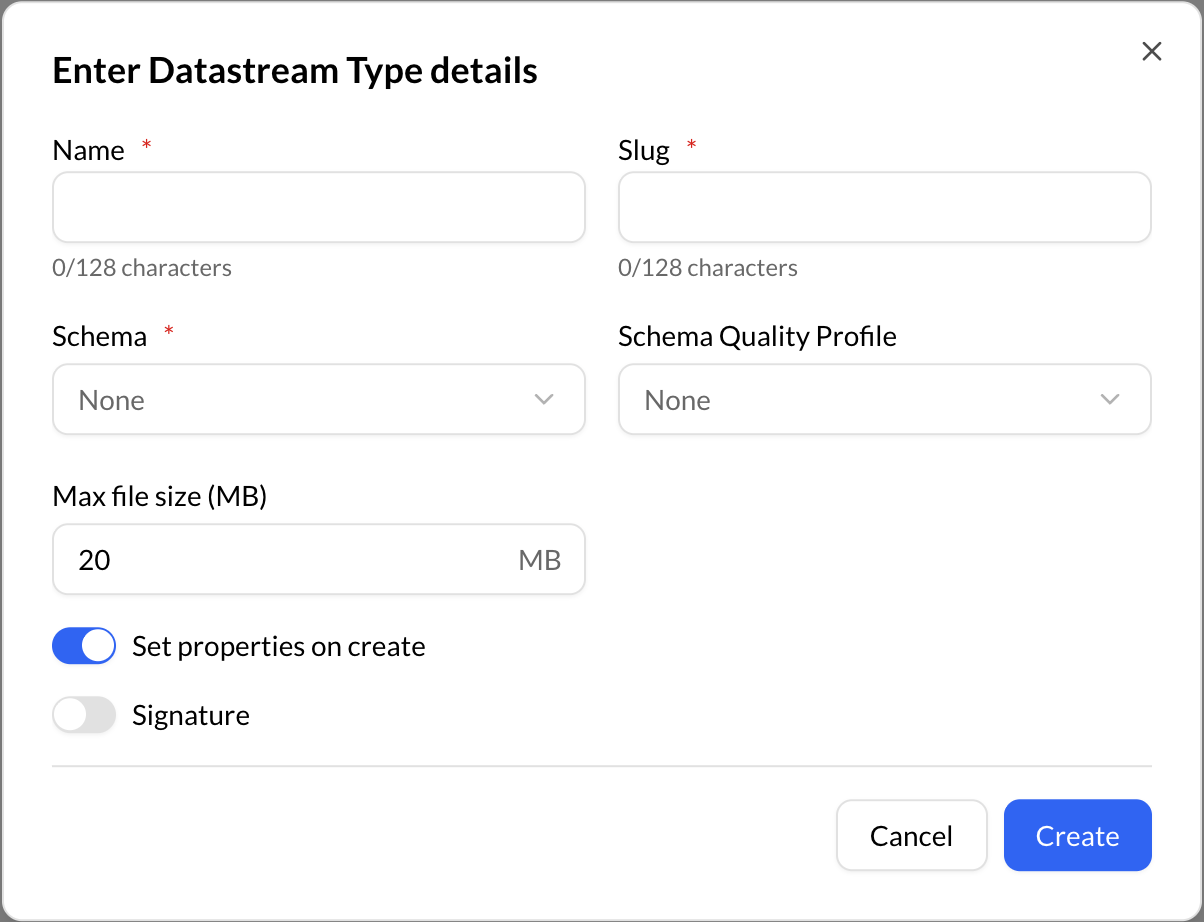
Create Datastream Type
Datastream Type Definition

Slug field can be refilled as you are typing in the “Name” field or you can type the slug you prefer.

Enabling the "Set properties on create" button allows you to conveniently assign metadata to the datastream at the time of its creation.

The following are the three different datastream types layout available in Repox:

TypeDescription
DefaultA default layout is designed to display a datastream in the storefront when no specific layout has been assigned to it. It serves as a fallback option for displaying the datastream's metadata. When a default layout is activated, typically no metadata or additional information is displayed for that particular datastream.
RecordA record layout serves as a blueprint for the structure of a data record. With a record layout readily available for a datastream, you can effortlessly navigate and modify the metadata on a per-field basis, allowing you to view data values stored in non-display fields.
CataloguingWith cataloguing layout, you can efficiently document all relevant details and information for the datastream without any unnecessary complications or difficulties.