System Info
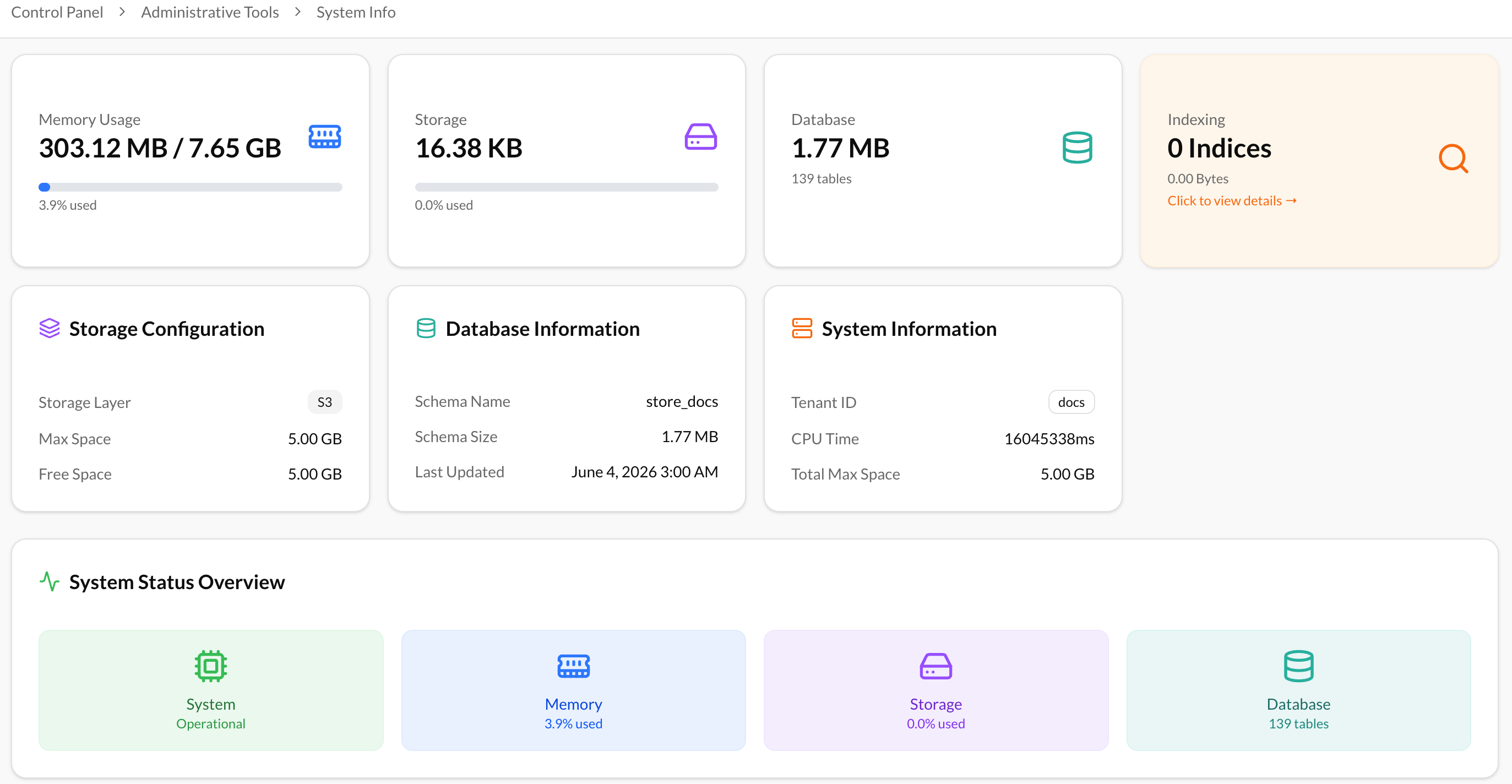
System Information page provides administrators with an overview of the current system status, configuration, and resource utilization. This information is useful for monitoring platform health, troubleshooting issues, and verifying system configuration details.
Permissions
Access to the Event Log is restricted to users who have the required permissions to view:
- Administrative Tools
- System Info
Users without these permissions will not be able to access the Event Log section.
Accessing System Information
To access the System Information page:
- Navigate to Settings → Control Panel → Administrative Tools → System Information.
- The System Information page will be displayed, providing details about the system's resources, services, and configuration.
Available Information
The System Information page is organized into several sections that provide insights into different aspects of the platform.
Memory Usage
The Memory Usage section displays information about the system's memory consumption and resource utilization. Administrators can use this information to monitor system performance and identify potential memory-related issues.
Storage
The Storage section provides information about the storage resources used by the platform. This information helps administrators monitor storage capacity and understand how storage resources are being utilized.
Database
The Database section contains details about the database used by the platform. Administrators can review database-related information to verify connectivity, configuration, and overall database status.
Indexing
The Indexing section provides information about the system's indexing services and search infrastructure. This information can be used to verify that indexing operations are functioning correctly and to monitor the status of search-related components.
Storage Configuration
The Storage Configuration section displays the configuration details of the storage system used by the platform. Administrators can review the configured storage settings and verify that storage resources are correctly configured.
Database Information
The Database Information section provides detailed information about the database environment and configuration. This information can assist administrators in troubleshooting database-related issues and validating system settings.
System Information
The System Information section contains general information about the platform environment, including system-level details and configuration data. This section provides a comprehensive overview of the environment in which the platform is running.