Metadata Quality
Metadata Quality in Repox allows users to measure how complete and well-structured their metadata is. By creating quality profiles and assigning them to container types, users can instantly view completeness scores and tier-based evaluations for every container.
Quality Profile
To begin, the user must set up one or more quality profiles for a selected metadata schema.
- Navigate to Control Panel → Data Modelling → Metadata Schemas → Schemas.
- Select the schema for which you want to create a quality profile.
- Click Quality Profiles.
In the modal, you can:
- View all existing quality profiles for the selected schema, or
- Click Create New Quality Profile to add a new one.
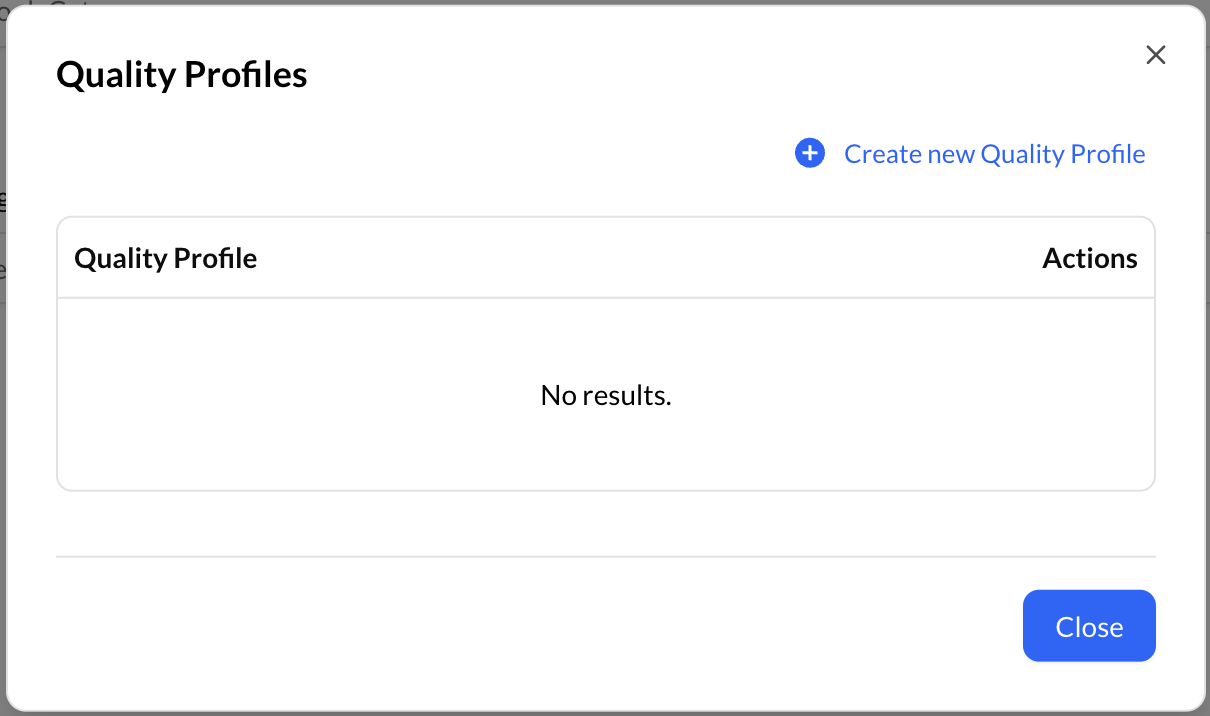
In the creation modal, provide:
- A Name for the profile
- The Schema Properties you want included in the quality calculation
- The Tier Configuration (name, percentage threshold, and color for each tier)
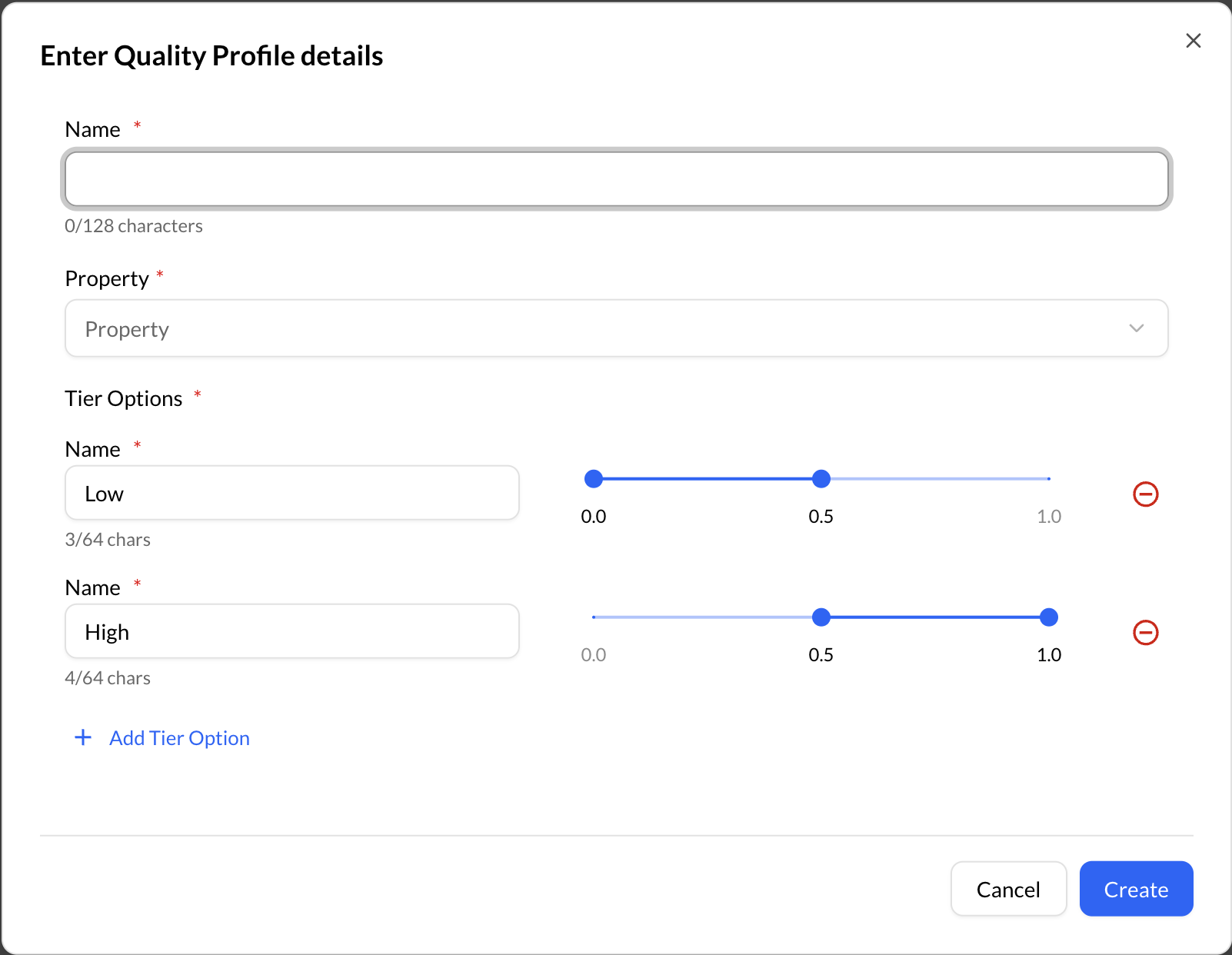
Save the profile.
- Note: Each schema can have one or more quality profiles.
Attach a Quality Profile to a Container Type
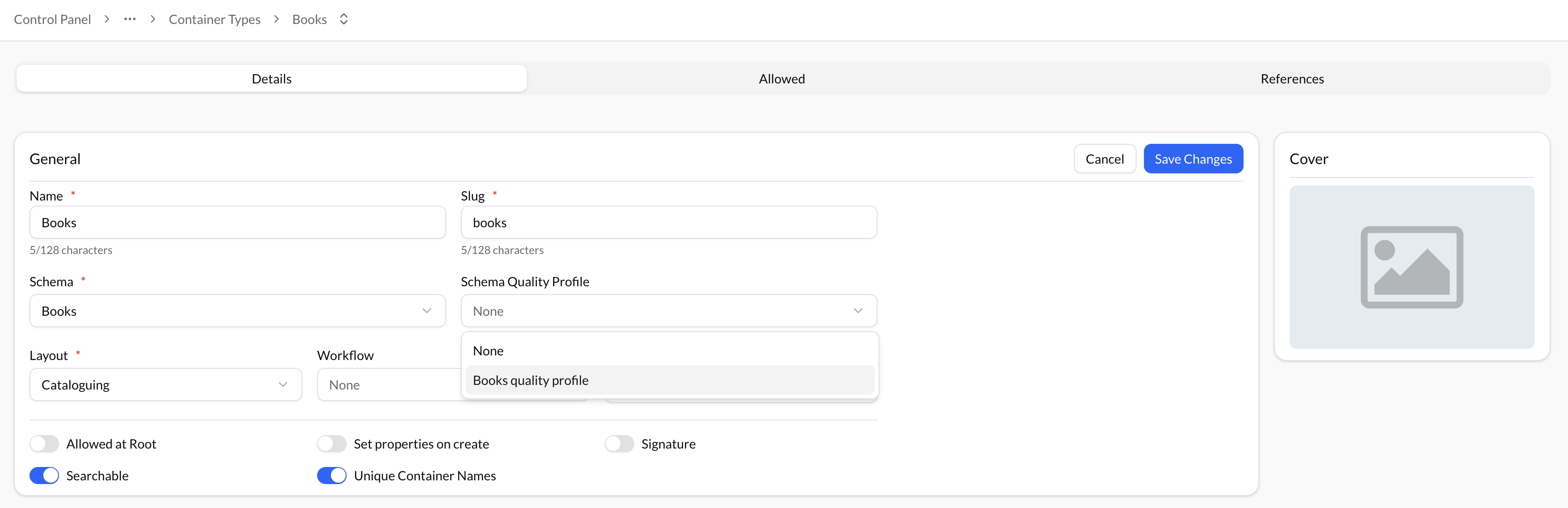
After creating the desired profiles, the user must attach one of them to a container type to enable metadata completeness calculation.
- Navigate to the container type you want to evaluate.
- Select the Quality Profile you want to apply.
- Note: A container type can have only one quality profile assigned at a time.
- Save your selection.
- This activates metadata completeness calculation for all containers of that type.
View Metadata Completeness in Content
When a quality profile is assigned, the user can open any container belonging to that container type to view its completeness score. A metadata quality bar is displayed, showing the overall completeness percentage as well as the proportion of fields that fall into each defined tier. This provides a clear and immediate overview of the container’s metadata quality.
- Open any container belonging to a container type with an attached profile.
- A Metadata Completeness Bar appears, showing:
- The overall completeness percentage
- Tier-by-tier percentages based on the defined thresholds
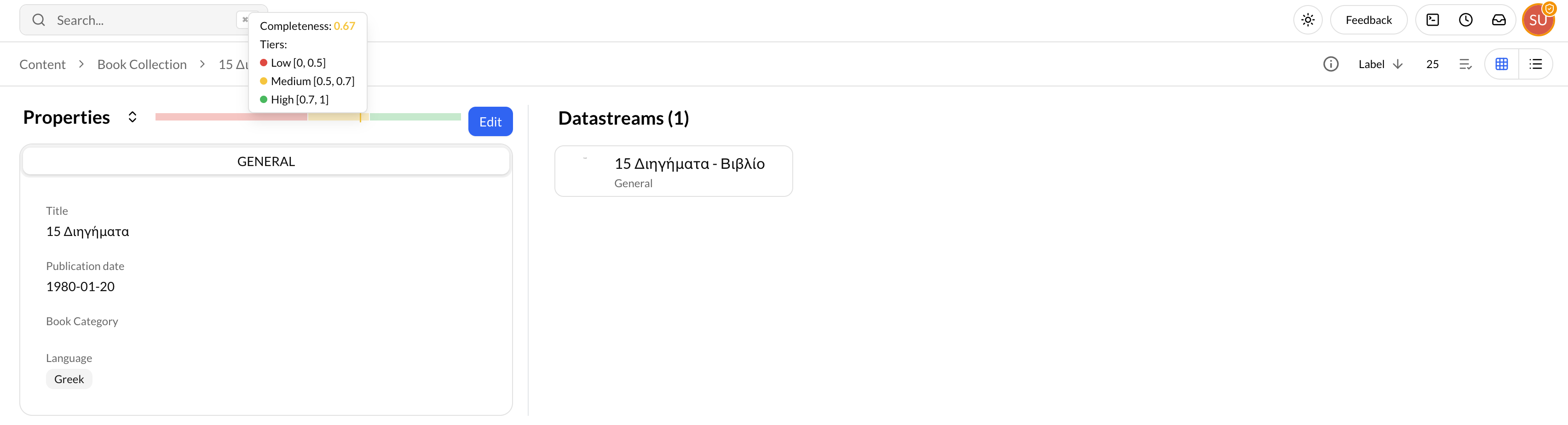
This provides an instant visual assessment of the container’s metadata quality.