Create an Item
To create an Item within Repox Guide, select "Items" from the left-hand menu,
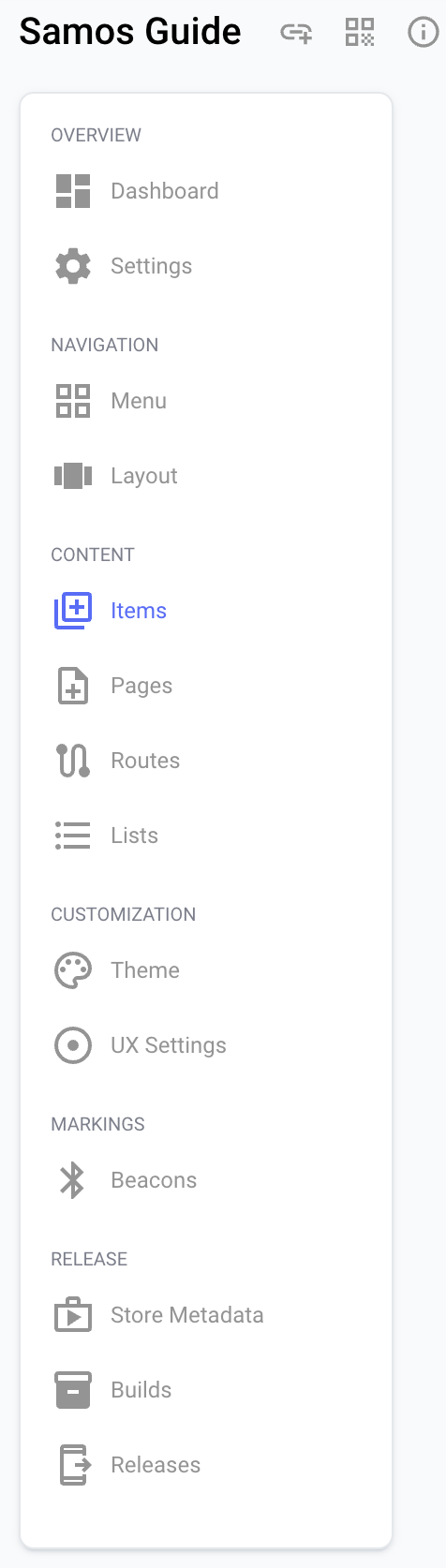
then click on "+Create new item."
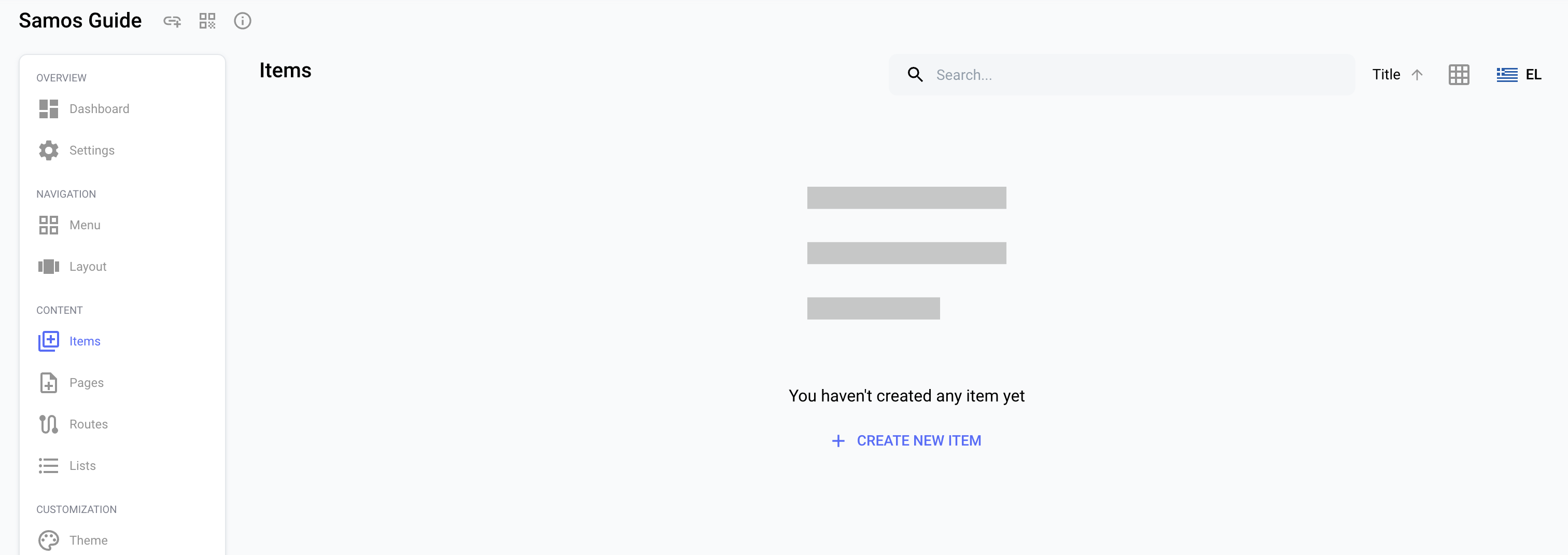
If one or more items already exist and you wish to add another, simply use the “Create (+)" button, located at the bottom right of the Repox Guide interface.
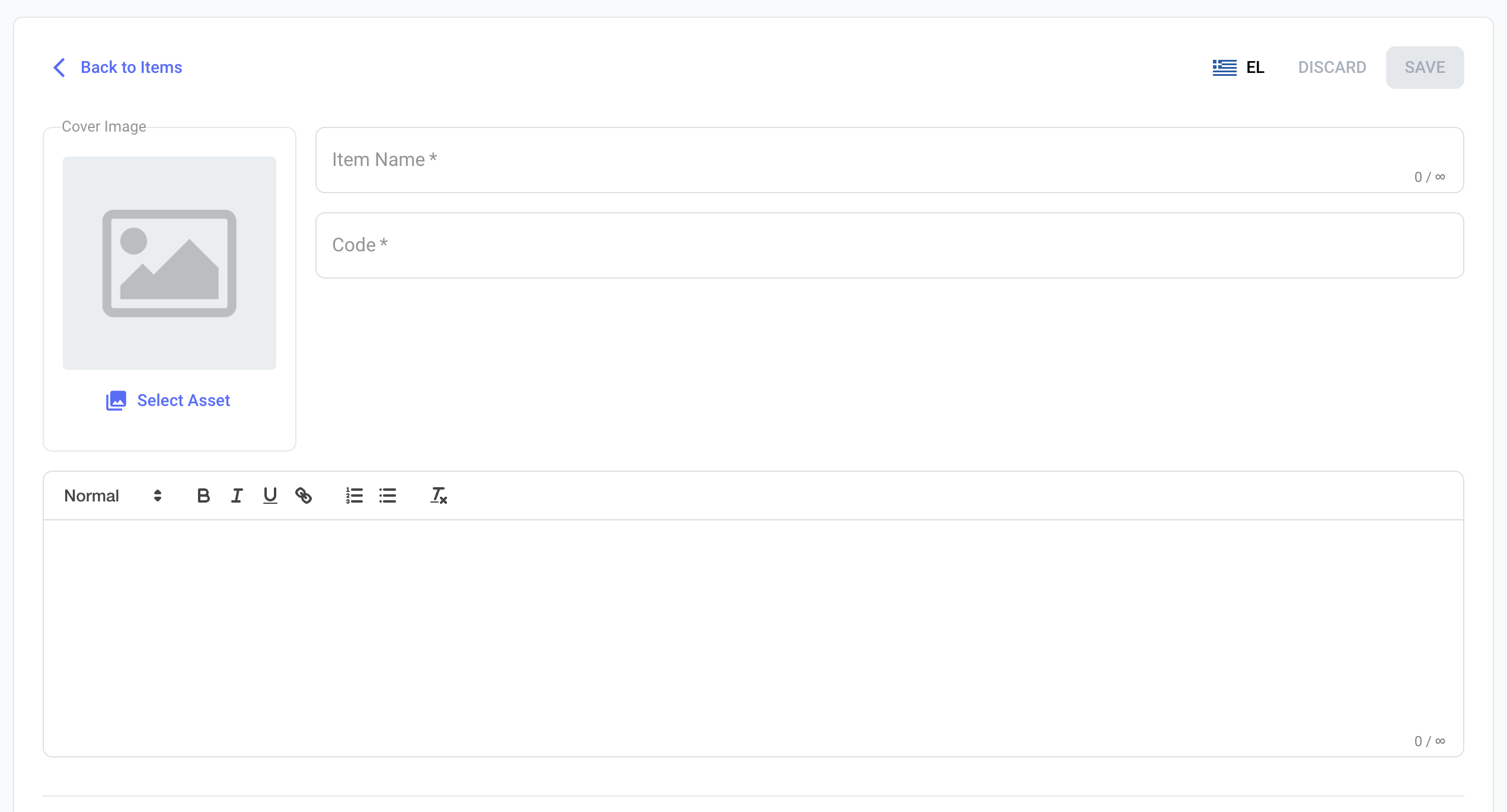
To create an Item, there are both mandatory and optional fields to consider. 'Item Name' and 'Code' are essential, with the former denoting the item's title and the latter serving as its unique identifier. Additionally, you have the option to provide a description for the item and to upload a cover image via the media library.
Additional Sections (Optional)
Beyond their primary details, items also feature additional sections for supplementary information. These sections are depicted in the accompanying image.
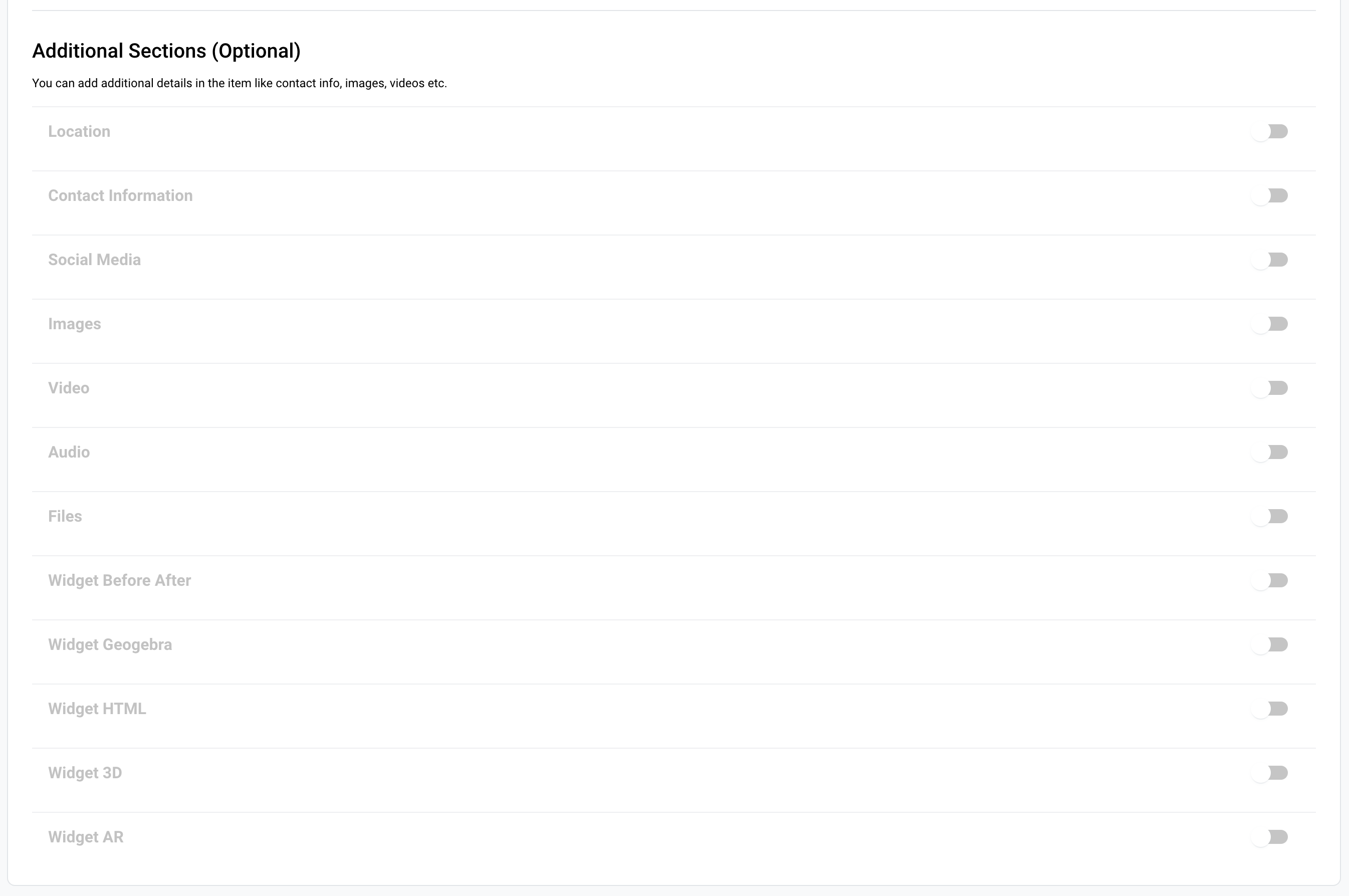
By enabling specific sections, you can provide supplementary information tailored to various needs, such as location, telephone number, address, and social media links. Additionally, you can upload media and documents, or activate a range of specialized widgets, including 3D and AR functionalities.